📌 28 de Outubro, 2026
MacBook Air Early 2015 Wi-Fi Upgrade (A1465)
I own an old MacBook Air “Core i7” 2.2 11-Inch (Early 2015) model A1465 and I was running into issues with the original Broadcom Wi-Fi card working under Linux. After some research I found that it is possible to upgrade these machins with modern Wi-Fi cards but there are a few important details to consider.
⚠️ When changing components on a MacBook make sure to disconnect the battery before any other action. ⚠️
Why not use the original card?
To begin with it’s an older and slow card and it’s Broadcom forcing us to use propriety firmware that has poor Linux support.
While you can have it connect to network under Linux it won’t work in most networks with WPA3 (even if the network supports WPA2). The problem seems to be that with 802.11w Management Frame Protection enabled (or optional) in the network, Linux won’t be able to negotiate WPA2 properly.
There’s a project that aims to patch the driver to make it work but it isn’t working in all kernels and I didn’t want to maintain a patched driver.
Why not just replace it any other card?
Apple uses a very proprietary and non-standard connector for the Wi-Fi card. Also the space for the card is very limited – some components may make it impossible to use some cards. A 3×2.2cm card is probably the best fit for this system.
Solutions?
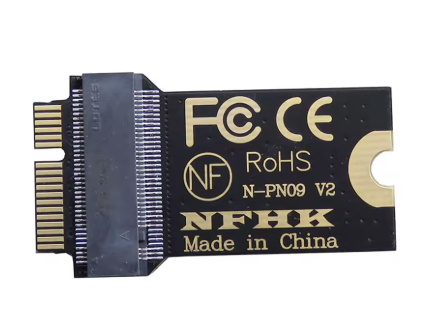
There are adapters from Apple’s connector to standard M.2 NGFF Key A/A+E 2230 like this one:
What card to chose?
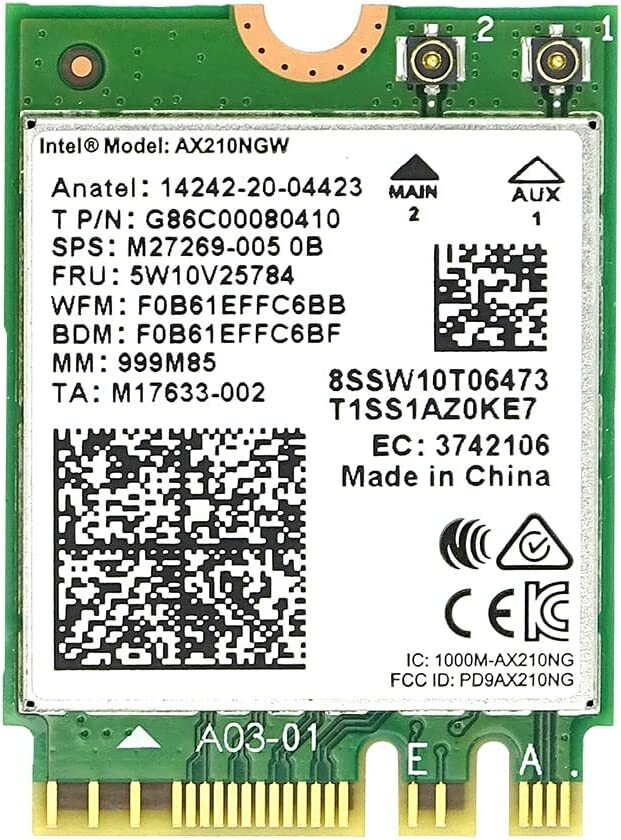
I decided to go with an Intel Wi-Fi 6E AX210 card (5W10V25784) as it provides modern Wi-Fi 6E, Bluetooth 5.3 and it fits the adapter and the MacBook limited space.
Final Solution
The cost of this upgrade was around 11€ for the adapter and 16€ for the Intel card.
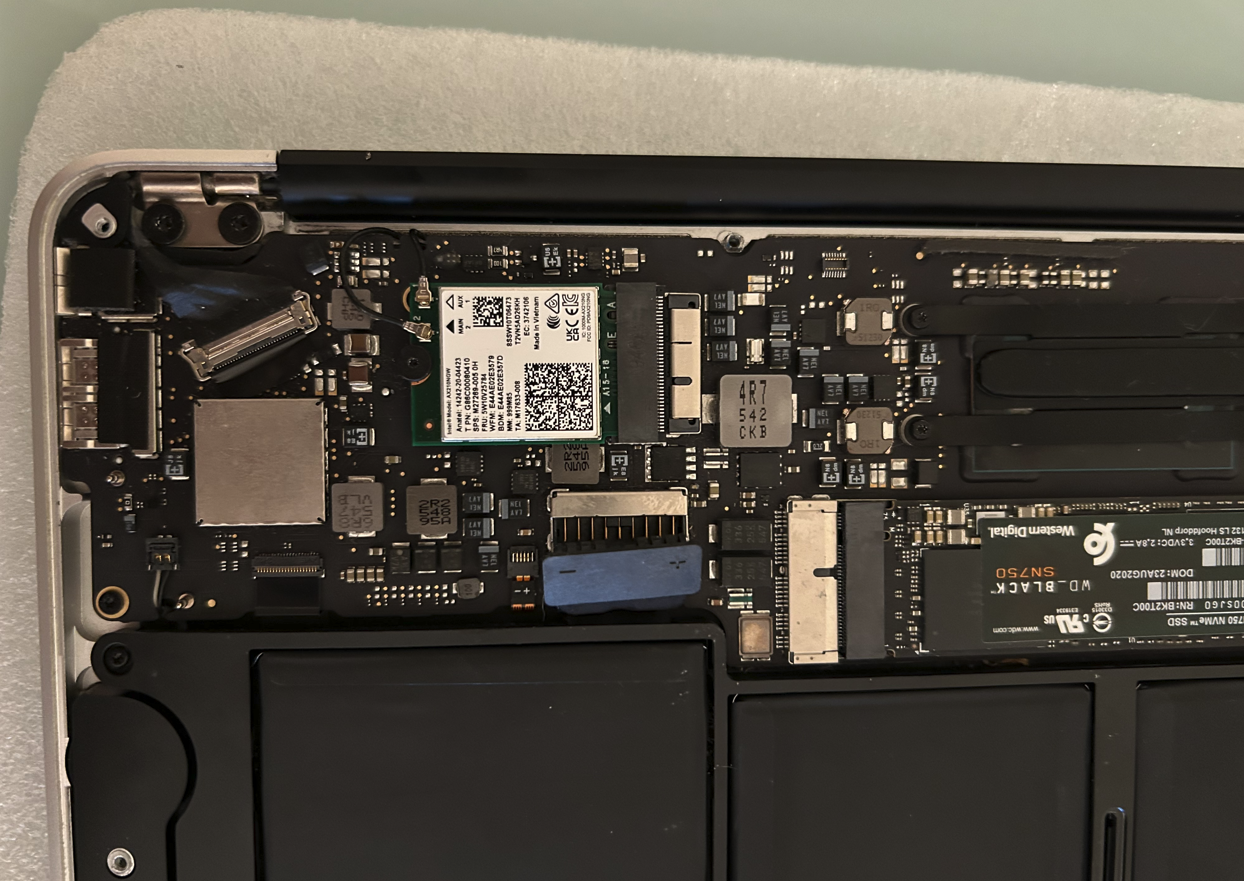
Installing the card was an easy job, I had to plug the adapter first and then the card to avoid avoids running into some components around the slot. It is very important to also unplug the battery before trying to replace the card in order to avoid frying the computer.
And here’s a real world test of Wi-Fi speed between the MacBook and my NAS:
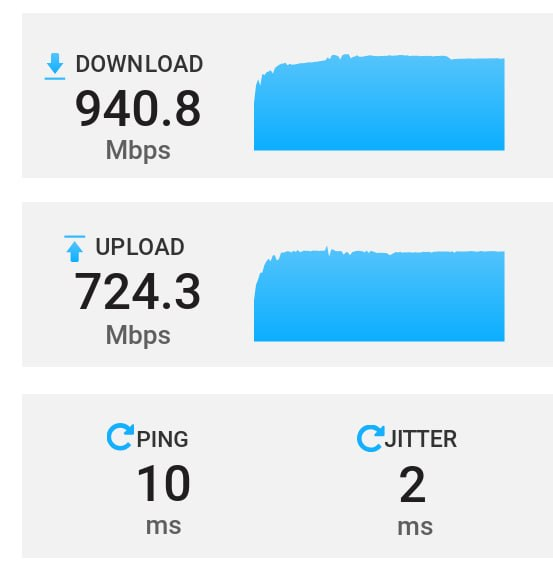
Not bad for a 10+ year machine right? 🙂
Bonus tip: the NVMe can also be replaced with another adapter (F29823 on Aliexpress) and its a very well worth upgrade because Apple’s stock NVMe is slow compared to anything we can get nowadays.